Can You Charge a Laptop With a Power Bank? What Works and What Doesn’t
Can You Charge a Laptop With a Power Bank? What Works and What Doesn't is a common travel and backup-power question. The short answer is yes, but only when the power bank matches the laptop’s charging requirements.
A USB-C port alone doesn’t guarantee compatibility. Wattage, voltage, cable support, and charging standards all matter.
As of 2026, USB Power Delivery can support outputs up to 240 watts under USB PD 3.1, although most laptop power banks deliver 45 to 100 watts. Manufacturer specifications indicate that usable capacity is always lower than the printed battery capacity. Start by checking whether your laptop accepts USB-C Power Delivery.
Can You Charge a Laptop With a Power Bank? What Works and What Doesn't
Can You Charge a Laptop With a Power Bank? What Works and What Doesn't depends on four things. Your laptop must accept power through USB-C or a compatible DC input.
The power bank must provide enough continuous wattage. The cable must support the required power level. If any one of these fails, charging may be slow or stop completely.
A USB-C PD power bank is usually the simplest option for newer laptops. Standard USB-A power banks generally cannot provide the voltage and wattage laptops need. Older laptops with barrel charging ports may require a manufacturer-approved adapter or a portable power station with an AC outlet.
How USB-C Power Delivery Charges a Laptop
USB-C Power Delivery, often called USB-C PD, is a charging standard that lets a charger and device negotiate voltage and current. The laptop tells the power bank what it needs. The power bank then supplies a supported profile, such as 20 volts at 3.25 amps for a 65-watt laptop.
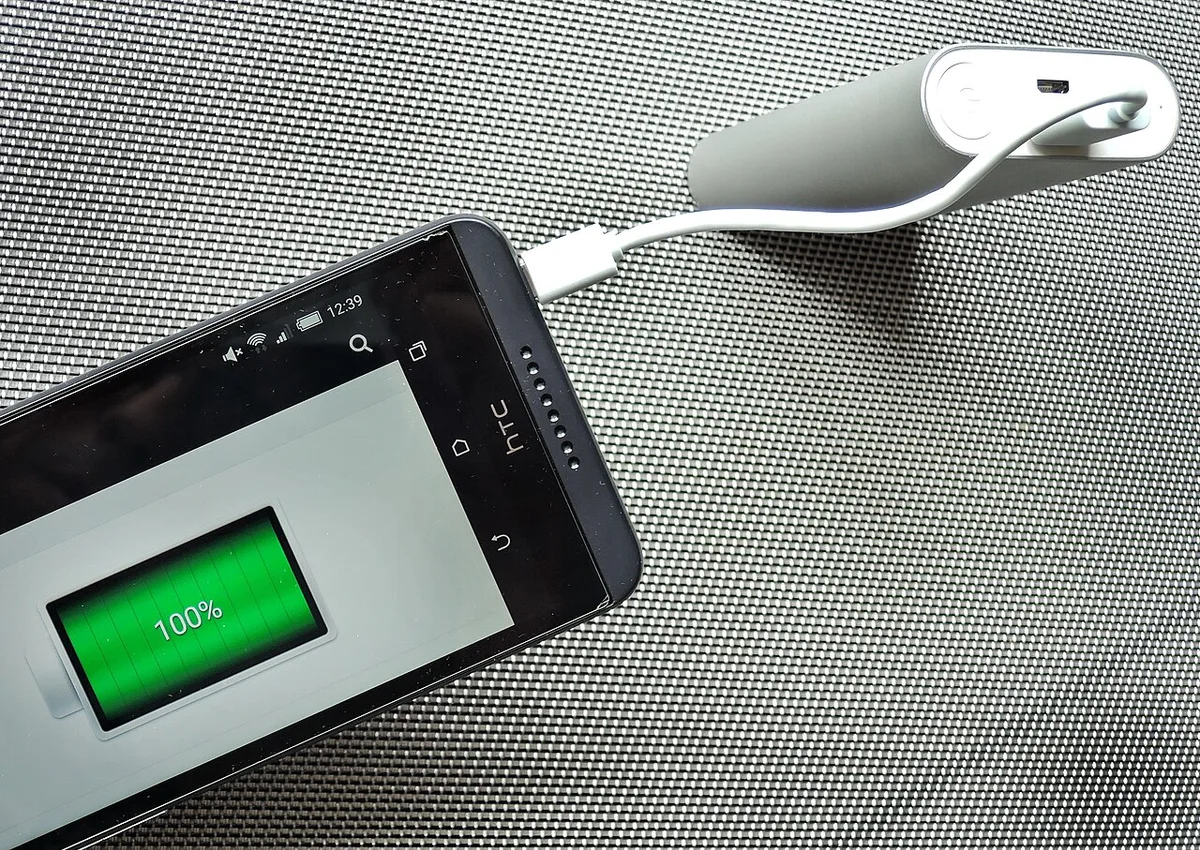
Image source: Wikimedia Commons / Mk2010 (CC BY-SA)
The laptop’s charger label gives you a useful starting point. A 65W adapter typically means the computer may need up to 65 watts during demanding use. A 45W power bank may charge it while sleeping, but the battery could still drain during video editing or gaming.
USB-C PD is different from ordinary USB-C. USB-C describes the connector shape, while Power Delivery describes the charging system. The USB Implementers Forum maintains the USB Power Delivery specifications and certification information.
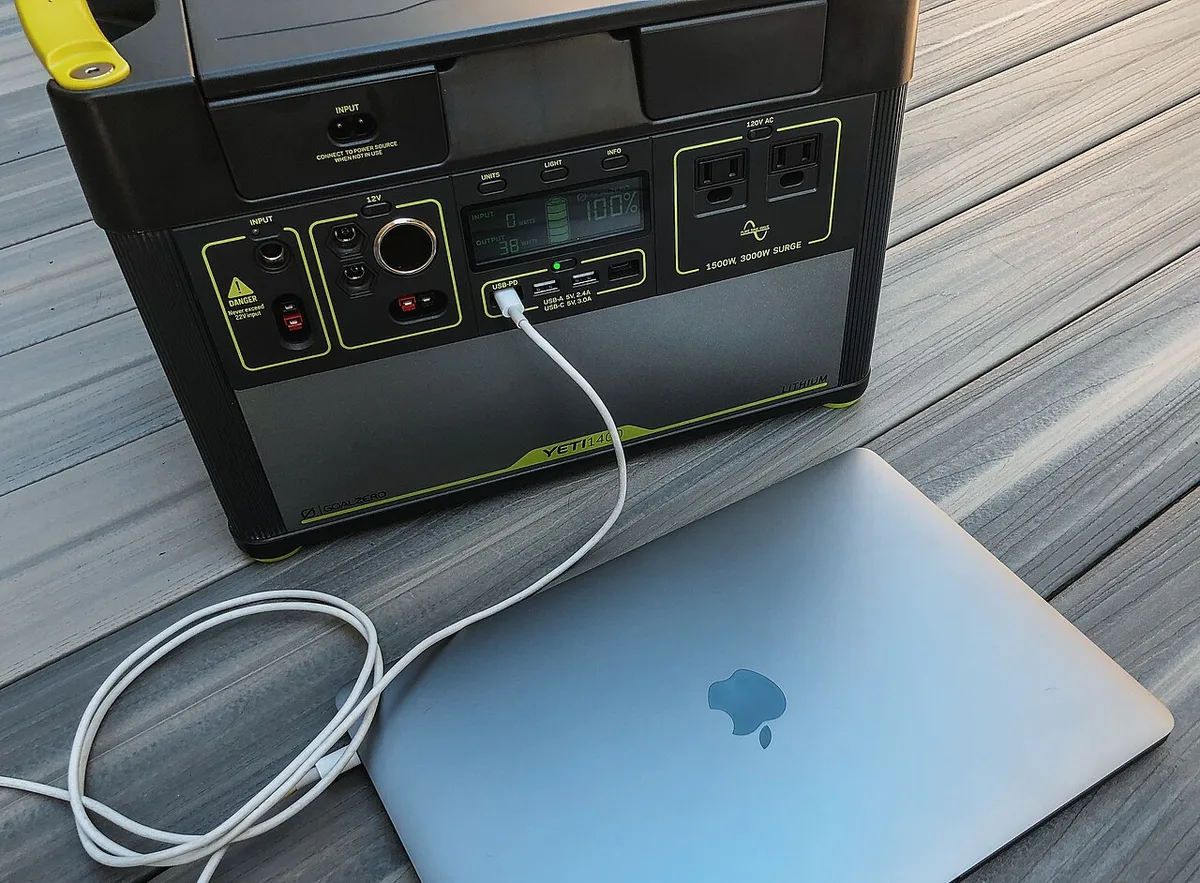
Image source: Wikimedia Commons / Tony Webster from Minneapolis, Minnesota, United States (CC BY-SA)
Use this quick rule:
- If the laptop supports USB-C PD, use a PD power bank with equal or higher wattage.
- If the laptop needs 65W, choose at least 65W continuous USB-C output.
- If the laptop needs 100W, verify the power bank and cable can both deliver 100W.
- If the laptop only charges through a barrel port, direct USB-C charging may not work.
A higher wattage rating doesn’t force extra power into the laptop. The device draws what it needs after a safe negotiation.
Check These Four Compatibility Requirements First
Before connecting anything, check the laptop, power bank, and cable as a complete system. A mismatch can produce a slow-charge warning, intermittent charging, or no charging at all. You can also browse the site’s charging equipment section for related power and cable guides.
Does the laptop charge through USB-C?
Look for a USB-C port marked with a charging symbol, a lightning symbol, or a small power icon. The laptop’s manual or technical specification is more reliable than the port’s appearance. Some USB-C ports support data and video only.
If the laptop uses a barrel connector, read the input voltage and polarity printed near the port or on the original adapter. Never guess. A USB-C to barrel cable is safe only when its voltage, connector size, polarity, and charging protocol match the laptop.
Is the power bank powerful enough?
Compare the laptop adapter’s wattage with the power bank’s continuous USB-C output.
| Laptop requirement | Suitable power bank output |
|---|---|
| 30W | 30W or higher |
| 45W | 45W or higher |
| 65W | 65W or higher |
| 90W to 100W | 100W or higher |
| 140W | 140W USB PD 3.1 system |
Choose equal or higher output for active use. A lower-rated bank may work only when the laptop is asleep or turned off.
Does the cable support the required wattage?
A basic USB-C cable may support only 60W. Higher-power charging can require a 100W or 240W cable with an electronic marker, commonly called an E-marker chip. Cable ratings are separate from the power bank’s rating.
If your phone also charges slowly, the same charging fault checks can help identify a damaged cable, dirty connector, or weak power source.
Is the battery capacity large enough?
Capacity is usually listed in milliamp-hours, or mAh. Watt-hours, or Wh, give a more useful comparison because they include voltage.
For example, a 20,000mAh power bank rated around 3.7 volts stores roughly 74Wh before conversion losses. After normal efficiency losses, less energy reaches the laptop. Expect fewer charges than a simple mAh comparison suggests.
What Works and What Doesn’t
The best setup is direct USB-C PD charging from a power bank to a laptop that supports USB-C charging. This arrangement avoids an inverter and usually wastes less energy. It also lets the laptop and battery negotiate a suitable voltage automatically.
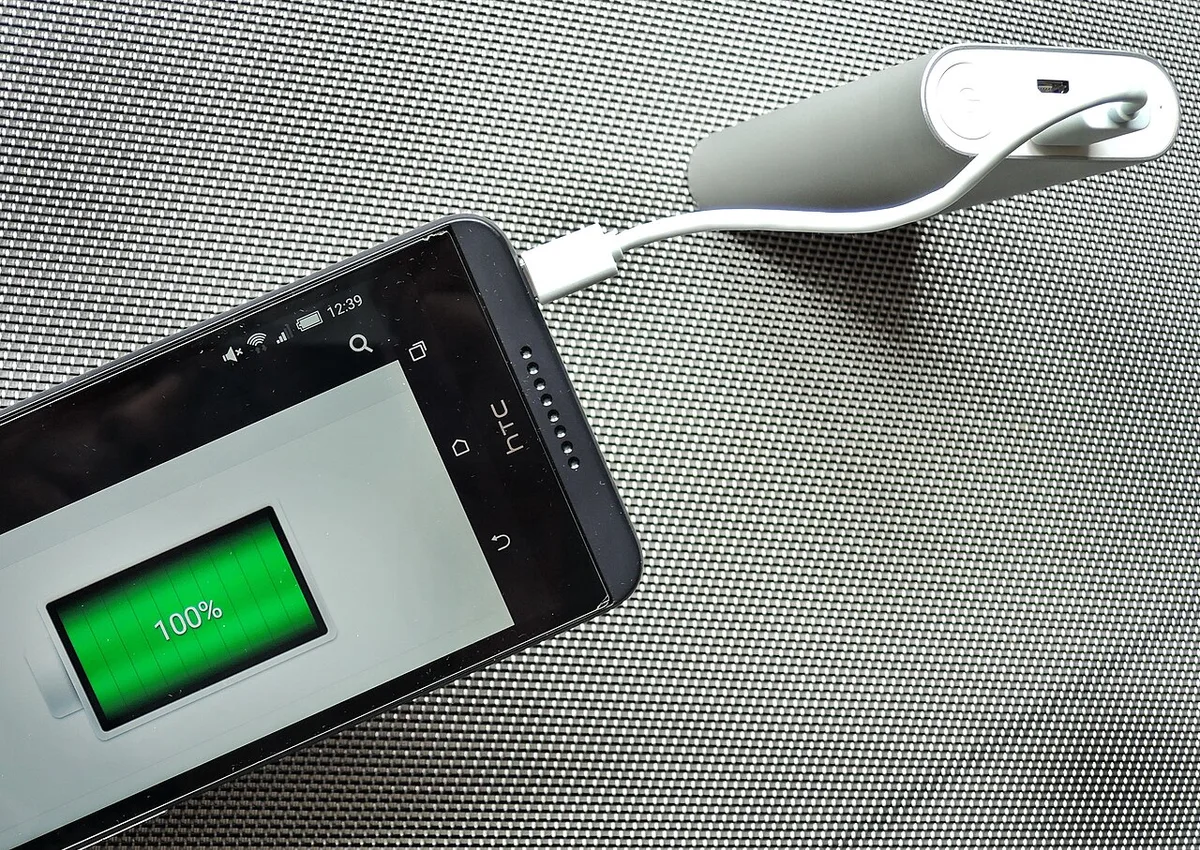
Image source: Wikimedia Commons / Mk2010 (CC BY-SA)
Here’s how the main options compare:
| Setup | Result | Best use |
|---|---|---|
| USB-C PD power bank to USB-C laptop | Usually works | Modern laptops with USB-C charging |
| USB-A power bank to USB-C laptop | Usually fails | Phones and smaller devices |
| USB-C PD bank to barrel-port laptop | Requires exact adapter support | Compatible older laptops |
| Power bank with AC inverter | Usually works with the original charger | Laptops without USB-C charging |
| Low-wattage PD bank | May charge slowly or drain | Sleep mode or light workloads |
A standard USB-A power bank usually cannot charge a laptop because USB-A commonly supplies 5 volts at modest current. Even if the cable fits, the laptop may not receive enough power. Avoid forcing a USB-A-to-USB-C connection into a laptop charging setup.
An AC-inverter power bank can run a normal laptop charger, but it loses energy during two conversions. The battery first creates AC power, then the laptop adapter converts that back to DC. This option is useful when direct USB-C charging isn’t supported, not because it’s the most efficient method.
You can also review guidance about USB-C connection problems when the laptop detects a cable but refuses to charge. If the computer uses a proprietary connector, check the laptop manufacturer’s documentation before buying an adapter.
Step-by-Step: How to Charge Your Laptop Safely
Start with the laptop’s original charger. Find its wattage by multiplying volts by amps, or read the wattage printed on the adapter. Then confirm that the laptop supports USB-C charging, rather than assuming every USB-C port accepts power.
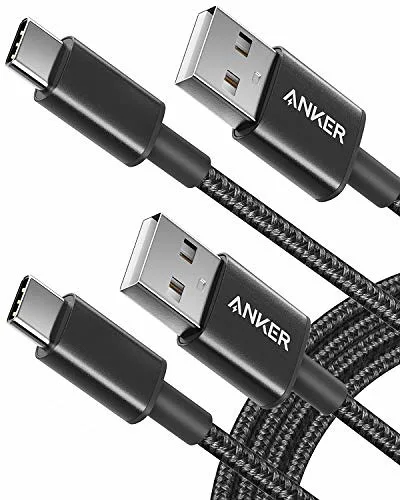
Image source: Openverse / shop8447
Follow this workflow:
- Check the laptop’s input. Confirm USB-C PD support in the manufacturer’s specifications.
- Check the power bank output. Match its continuous USB-C wattage to the laptop’s requirement.
- Choose the correct cable. Use a cable rated for the intended wattage. Use a 5A E-marked cable when the setup requires it.
- Charge the power bank first. Use a wall charger that can refill it at the supported input rate.
- Disconnect extra devices. Phones and tablets may reduce the power available to the laptop.
- Connect the laptop directly. Plug the cable into the power bank’s output port, then the laptop’s charging port.
- Confirm charging. Look for the laptop’s charging icon and check whether the battery percentage rises.
- Monitor heat and performance. Stop if the cable, laptop port, or power bank becomes unusually hot.
If the battery percentage falls while connected, the setup is underpowered or the laptop is using more energy than the bank supplies. Save your work, reduce screen brightness, close demanding apps, and reconnect with a higher-rated cable or power bank.
Keep the battery and laptop ventilated during charging. For air travel, check current FAA battery guidance before packing a high-capacity power bank. Spare lithium batteries generally belong in carry-on baggage, not checked luggage.
Common Charging Problems, Mistakes, and Safety Warnings
If the laptop says “slow charger,” check the power bank’s continuous output first. A 45W bank may not keep a 65W laptop charged during heavy work. Try closing demanding apps, lowering brightness, or switching the laptop off while charging.
If nothing happens, test each part separately. Confirm the cable works with another USB-C PD charger. Try every USB-C port on the power bank because some ports support input only.
Then check whether the laptop’s port accepts charging, not just data and video.
A power bank can also shut down unexpectedly. This often happens when the laptop draws very little power, especially during sleep mode. Reconnect the cable or enable a low-current mode if the manufacturer provides one.
Stop immediately if the power bank swells, leaks, smells unusual, or becomes too hot to touch. Don’t use damaged lithium-ion batteries or frayed cables. A warm device can be normal during charging, but intense heat signals a fault or poor ventilation.
Avoid these common mistakes:
- Matching mAh without checking watt-hours
- Using a cable below the required wattage
- Assuming every USB-C port supports charging
- Connecting multiple devices and exceeding shared output
- Using a barrel adapter without confirming polarity
- Placing a power bank in checked baggage
- Charging on soft surfaces that trap heat
Decision Guide: Which Power Bank Setup Is Right for Your Laptop?
Choose a direct USB-C PD connection if your laptop supports USB-C charging. Match or exceed the original charger’s wattage, then use a properly rated cable. This is the most efficient setup for modern laptops, Chromebooks, MacBooks, and many business notebooks.
Choose an AC-inverter power bank if the laptop lacks USB-C charging. Plug the original laptop charger into the inverter outlet. Expect shorter runtime because the setup converts battery power to AC, then converts it back to laptop DC power.
Use this decision path:
- Does the laptop charge through USB-C? , If yes, continue with a USB-C PD power bank.
, If no, check for a compatible DC adapter or AC outlet.
- Does the power bank meet the laptop’s wattage? , If yes, connect it directly.
, If no, choose a higher-output bank or charge while powered off.
- Does the cable match the output? , If yes, monitor charging normally.
, If no, replace it with a correctly rated cable.
- Does the battery provide enough energy? , If yes, calculate runtime from usable Wh.
, If no, expect a short top-up rather than a full charge.
For travel, a 20,000mAh bank is often more portable, while a 26,800mAh or 30,000mAh model offers more usable energy. Check the watt-hour label before flying. Capacity and airline limits are measured in Wh, not just mAh.
Frequently Asked Questions
Can a 20,000mAh power bank charge a laptop?
Yes, if it supports USB-C Power Delivery and provides enough wattage. A 20,000mAh bank stores roughly 74Wh before conversion losses. It may provide one partial laptop charge, depending on the laptop battery size, charging efficiency, and workload.
Why does my laptop charge slowly from a power bank?
The power bank may provide less wattage than the laptop requires. A weak cable, shared output, or demanding workload can cause the same problem. Check the laptop’s charger rating, use a matching USB-C PD output, and disconnect other devices.
Can a USB-A power bank charge a laptop?
Usually not. USB-A power banks commonly provide 5V output, which is designed for phones and smaller electronics. Most laptops need higher voltage and negotiated power through USB-C PD or a compatible proprietary charging system.
Can I charge a barrel-port laptop with USB-C?
Only with a verified adapter designed for that laptop. The adapter must match the required voltage, current, connector size, and polarity. Don’t connect a generic cable based only on physical fit because incorrect electrical specifications can damage the laptop.
Is a 100W power bank safe for a 65W laptop?
Yes, when the power bank and laptop support USB-C Power Delivery. The laptop requests the power it needs, so a 100W rating doesn’t force 100W into the computer. Use a cable rated for the negotiated output and stop if unusual heat develops.